Disclosure: This post is sponsored by Automattic and may include affiliate links. I may earn a commission at no extra cost to you.

Why Smart Writers Need a WordPress.com Website They Actually Own
Disclosure: This post is sponsored by Automattic and may include affiliate links. I may earn a commission at no extra cost to you.
If you’re a Freelance Writer having trouble landing clients, you probably don’t have a client problem — you have a visibility problem. Clients can’t hire top-notch writers if they don’t know where to find them online.
If you’re constantly pitching, applying, and chasing your next writing gig, it’s not because you’re not talented. It’s because you don’t have a system in place that brings clients to you.
Most freelance writers rely on job boards, social media, or third-party platforms to find work. But when you don’t own your platform, you don’t control your opportunities.
Some writers stay stuck in the cycle of chasing clients — while others quietly attract consistent, high-paying copywriting, ghostwriting, or blogging clients.

So what’s the difference between writers who have to chase clients and those who almost have more clients than they can handle?
A Freelance Writer Website from WordPress.com.
Savvy-writers know that they must have a functional writer website that works for them 24/7. The idea of building your own website can feel like a daunting task when you don’t have extensive website-building skills.
High-quality writers stuck in a constant cycle of trying to source clients can increase sales and reduce friction by taking the plunge and building their own websites.
You don’t have to be a website designer or spend weeks learning how to build one. With the right tools, you can create a professional, high-performing WordPress website in minutes and start positioning your writing business as a brand—not just a service.

The latest AI updates in WordPress.com make it possible for you to build a fully functional income-generating website in a matter of minutes by conversing with the built-in AI Assistant.

Freelance Writers, Solopreneurs, Entrepreneurs, Small Business Owners who value self expression, creative control and content ownership need a WordPress website to attract clients instead of constantly chasing them.
A website acts as a central hub to showcase your portfolio, build credibility, and rank in search engines, allowing potential clients to find you organically using keywords.
Unlike social media or job platforms, a WordPress website gives you full control over your content, branding, and income opportunities, making it a critical tool for long-term business growth.
You don’t have to learn web design to have a high-performance and highly profitable WordPress website.
How to Build a Freelance Writer Website That Attracts Clients in Minutes Instead of Days

If you’ve been putting off building your website because it feels overwhelming, you’re not alone. But the longer you wait, the longer you stay stuck chasing work instead of attracting it.
Imagine being able to land your dream client from anywhere across the country or even across the globe. This dream is possible when Freelance Writers take their careers to the next level by building their own website.
An author website that highlights your skills and abilities can draw in millions of views and clicks. A custom-built freelance writing website can help you organize your writing business, clients, and content all in one central location.

Why You Should Build Your Freelance Writer Website with WordPress.com
WordPress.com is one of the world’s leading content management systems. Recent reports show that the WordPress.com ecosystem hosts over 100 million users boasting billions of page views per month.
Creating your website on WordPress gives you instant access to fully hosted websites, built in AI website generator, built-in AI assistant, blog monetization features and the ability to like and follow other blogs for inspiration or business tips.
The WordPress.com editor has built-in tools that make website design skills and website coding skills unnecessary.
Converse with your built-in AI assistant in real time to generate vibrant and attention-grabbing web pages filled with rich SEO content that is destined to reach your target audience and your ideal client — with none of the hassle.

Use the AI Website Builder to design your custom website and then choose a WordPress plan to launch.
“After using several WordPress.org individual hosts and providers I chose WordPress.com for affordability, ease of use, built-in AI features, built-in security, uptime monitoring, analytics and a host of other features that would have cost tons out of pocket as individual line items with other hosting providers.“
-WordPress.com User: Michelle S. Loyd – msloydwrites
The WordPress.com AI Assistant doesn’t introduce users to an entirely new ecosystem. The built-in MCP server allows users to connect their WordPress.com sites to popular AI Agents like Claude and ChatGPT.
- Built-In AI Writing Assistant
- Central Hub for Client Communications
- Central Hub for Marketing Your Freelance Writing Business
- Central Hub for Branching off into e-Commerce Sales for Tangible Products or Merch
- Built-In Plugins Supercharge and Customize Your Site
- AI Tools Make Website Building Easier, No Website Coding Skills Required
- Intuitive Website Controls
Follow the steps below to generate a professional WordPress.com website with no tech skills required.

Step One. – Start With a Clear Goal for Your Freelance Writer Website
Before you even sign up, decide what you want your writer website to do.
For example is your goal to get more inbound client inquiries through embedded contact forms or direct email inquires? Or, are you looking for a central location where you can build credibility through writing samples or public portfolios showcasing your previous work?
Starting with a clear goal in mind can help you build your writer website in record time when you use built-in AI tools from WordPress.com.
Step Two. – Create Your WordPress.com Account

Visit the WordPress.com website to create a new account or login to an existing WordPress account. Creating an account and building your website on the platform is free.
Users are only charged for their sites and add on services like professional email or paid plugins “after” they have selected a plan and they are officially ready to launch their fully designed site.
- Choose a domain name (your name or business name works best)
- Pick a simple plan (you can upgrade later)
- Skip unnecessary add-ons for now
Choosing your new website domain names is one of the most exciting parts of the process. However, it is important that you choose a relevant domain name the clearly identifies your brand name and/or services.
Keep it simple and don’t get stuck here. Your domain name just needs to be clean and professional—not perfect.
Step Three. Choose a Clean, Conversion-Focused Website Theme

One of the best features of using WordPress.com with its built in AI tools to create your website is that this leading content management platform with hundreds of built-in website theme templates.
Using pre-built templates means you can choose from your favorite website designs, add custom branding, logos, and content and have your live site up and running all within the same day.
Minimal themes win every time because they keep attention on your content—not unrelated distractions that could interrupt your customer journey.
Step Four. – Use Pre-Built Patterns or Templates Instead of Starting From Scratch

This is where building your writing website with WordPress.com saves you serious time, money, and energy.
WordPress.com built-in block patterns and the Gutenberg editor can help new users easily create a solid homepage layout, services page, portfolio grid and a contact form that can have your site up and running in a matter of minutes instead of days.
Step Five. Create Core Web Pages First

A high performing website doesn’t need to be fancy. Meaning, don’t try to build or perfect everything at once. Start with a basic five page website and expand from there as needed.
Freelance Writers can use AI-Assisted Website Building Tools to quickly build key pages and launch a new site.
1. Homepage: Your homepage is typically the top level page of your site where most of your incoming website traffic lands.
2. About Page – The about page introduces you, your business, services, and special features or related achievements that help solidify your credibility.
3. Services Page – A complete listing of the products and services your offer and clear instructions how clients can hire you.
4. Writing Portfolio Page – Your portfolio Page should contain your best writing samples and/or links to published work.
5. Blog Page – Your blog Page is a public facing page and standalone hub where your blog posts and other shareable content are always on display for your clients, readers, and blog subscribers.
These five core pages are enough for most Freelance Writers and small business owners to start generating inbound leads and attracting more clients.
Step Six. – Add a Simple Contact Form to Start Collecting Inbound Leads
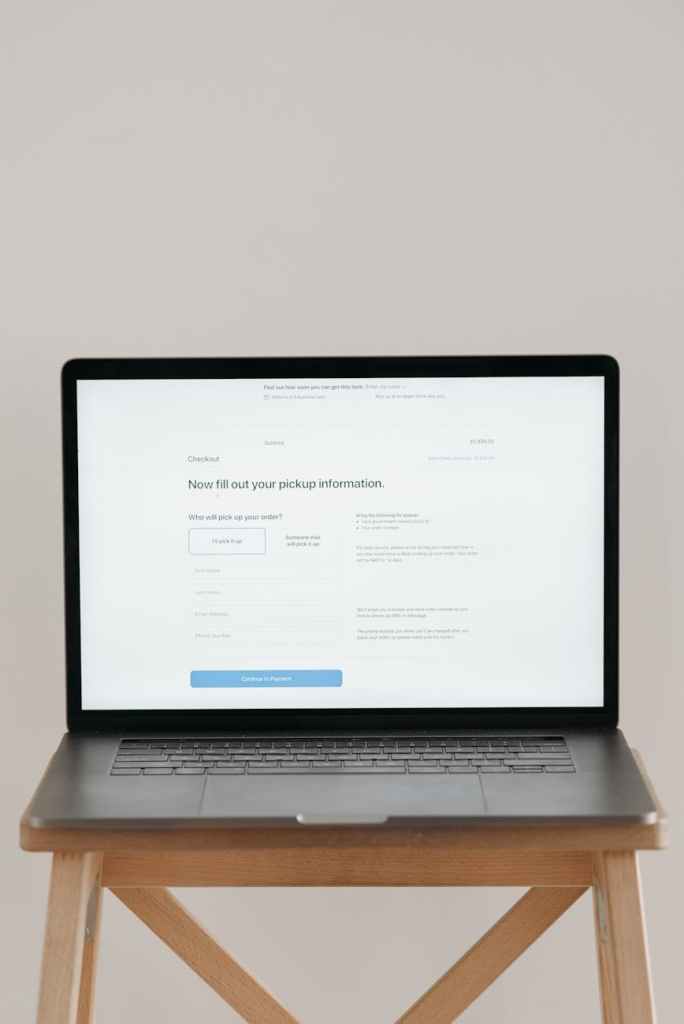
In almost all cases, human beings choose the path of least resistance.
For Freelance Writers this means, if people can’t easily reach you, you lose income—period.
Adding a simple contact form to your WordPress.com website to collect leads, inbound inquiries, share documents, files and to act as a hub for responding to website inquires from a single dashboard is an easy way to set your freelance writing business up for success and increase your writing income.
Step Seven. – Setup Your Contact form to Collect Inbound Leads, New Subscribers, Sales, and Signups
Setting up a new contact form in WordPress.com is a pretty straightforward process. Use the built-in contact form editor from Jetpack, the WordPress.com AI assistant or download a free or paid plugin to add contact form functionality to your site.
Your contact form should have a clear call to action such as – Get a Quote, Hire Me, Work with Me etc to make it obvious what the next step is for potential clients.
Step Eight. – Publish First Then Edit and Refine Later

Writing professionals who already understand the concepts of editing, proofreading, and revisions should apply a similar strategy to constructing their freelance websites.
The first version of your website will not be perfect.
This is normal. You can always edit and improve your site as you go. The most important thing is getting past the barrier of fear or procrastination and publishing your site.
Once you have your website up and running the next steps are ongoing maintenance and tracking website analytics. The number of visitors, clicks, scrolls, views, form submissions, and subscription sign-ups are key indicators of how well your writer website is performing.
Final Thoughts on Building Your Writer Website with WordPress.com and the Built-In WordPress AI Assistant

You can keep chasing clients — Or you can build a website that attracts them.
Right now? Every day without a website is a missed opportunity—someone is searching for a writer like you, and they’re finding someone else simply because you don’t have a platform that shows up.

Create a professional, credible real WordPress website in minutes—one that showcases your work, builds your authority, and helps clients find you without constant outreach.
Start simple. Start now. Improve as you go.
Because the sooner you build your platform, the sooner your business starts working for you.
Do You Need Help Building Your Freelance Writer Website?
Contact msloydwrites today!
Michelle S. Loyd
msloydwrites (Order Website Content Online)
Strategic, SEO-driven, conversion-focused content.
Start Your Project →
https://msloydwrites.com/shop
Contact:
📧 info@msloydwrites.com
🌐 msloydwrites.com
Social Links:
Instagram – https://instagram.com/msloydwrites
X – https://x.com/msloydwrites
LinkedIn – https://linkedin.com/in/michelle-s-loyd
Google – https://g.page/msloydwrites
Threads – https://threads.net/msloydwrites
Buy Me a Coffee – https://buymeacoffee.com/msloydwrites

Leave a Reply
You must be logged in to post a comment.